Waiting for you
The bell at the top of every page holds the items waiting for attention. Its count is the sum of pending approvals, messages that could not be sent, and reminders. The count is grey when only missed reminders are left. The bell is in the same place in every layout, and on a phone too.
Click the bell to open Waiting for you. It has up to three sections, and only the ones with something in them are shown:
| Section | Contents |
|---|---|
| Approvals | Actions Ambrose or an agent asks to take, each with its approval card. Decide them right there. |
| Not sent | Messages not accepted by the mail server, in plain words, each with Retry. Under Open Outbox, they are listed with Edit and Discard. |
| Reminders | Reminders that fired, then the Missed ones. Click one to open it. |
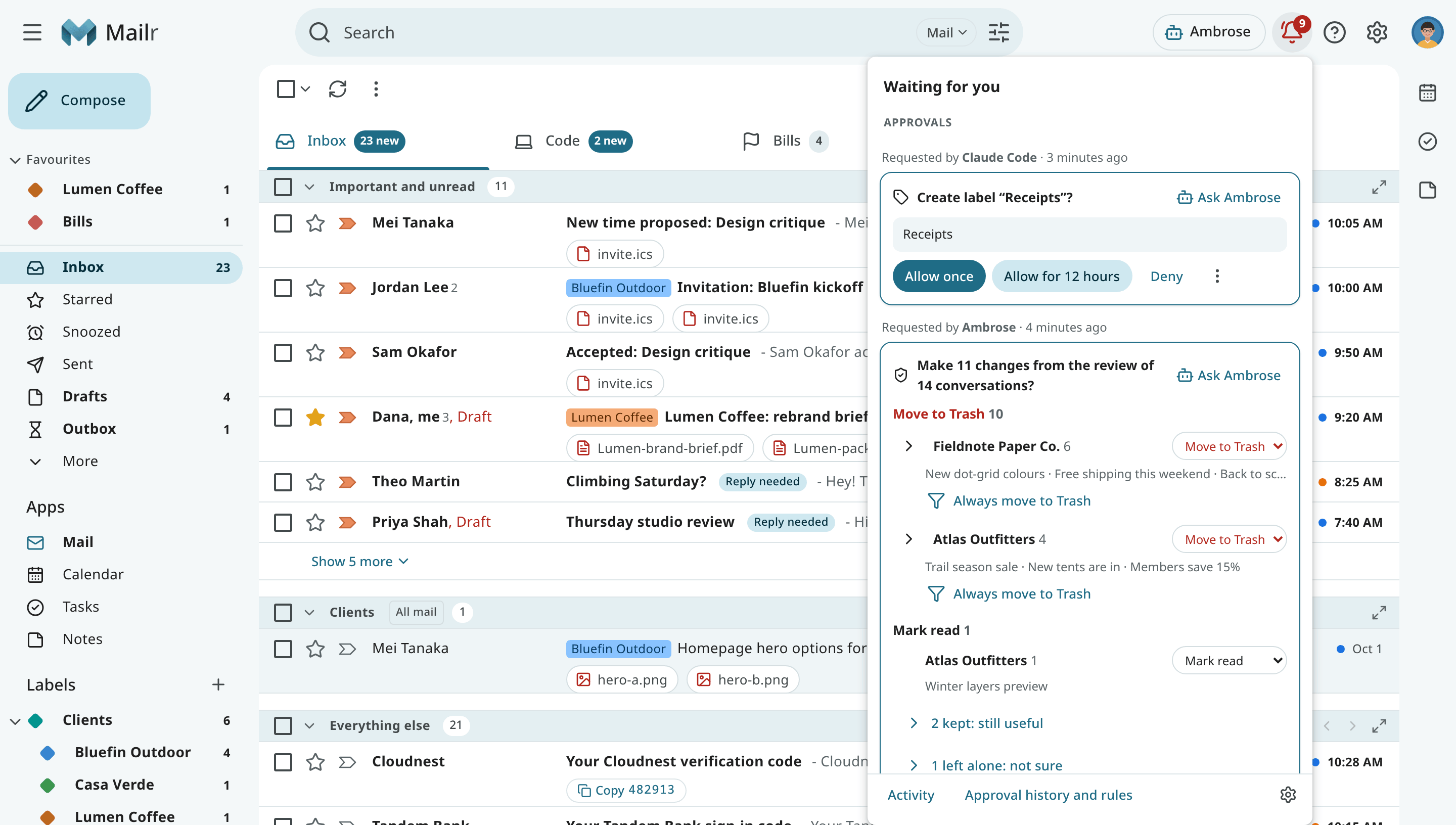
When nothing is waiting, the bell panel states that it is empty. Use the links at the bottom to open Activity (what changed recently, with Undo), your approval history and rules, and Settings → Notifications.
Approvals
Each approval shows who asked and when, and the card with its choices. See Approvals for what each choice does. When one chat or one agent has several requests waiting, you can use Allow all to see them listed and allow each of them once. See Allow several at once.
With an approval link from an agent or a push notification, the bell opens on that request.
Not sent
A message that could not be sent is also marked Not sent in its conversation, and the Outbox appears in the mail folders while something is queued or not sent. Use Retry to send it again. If an address was refused, Open Outbox and choose Edit to fix it.
Reminders
Use Review all to open the reminders one by one, and Clear all to dismiss them with one Undo. See Snooze, follow-ups and reminders.