Triage signals and importance
Each new message is classified once, on arrival: its category, its importance, whether it is spam, and whether it requires an action from the user. Decisions made by the user take precedence: a filter takes precedence over Mailr's guess, a correction takes precedence over a filter's earlier verdict, and every correction is used for later decisions. Corrections are used to train only that user's models.
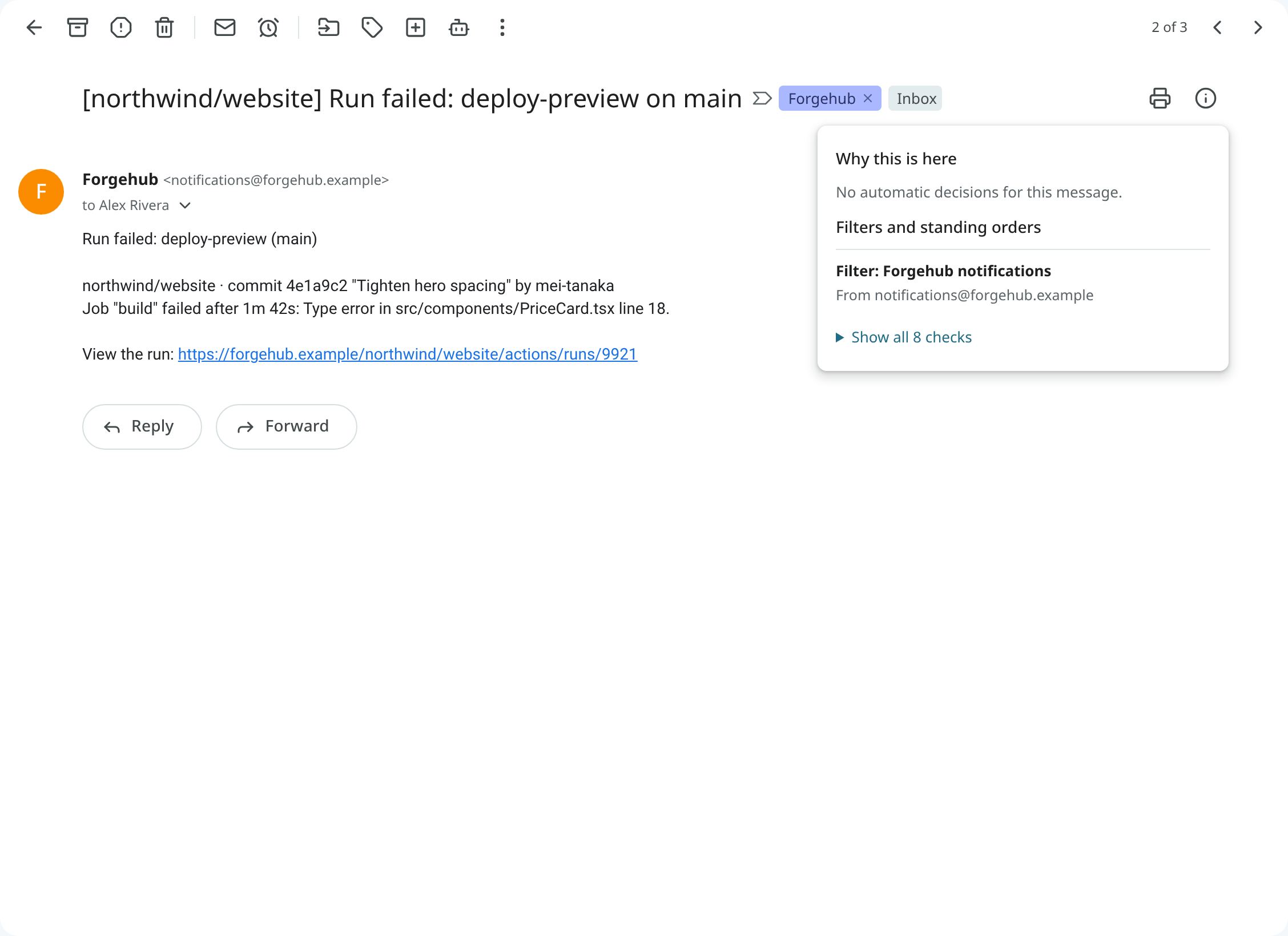
Every decision on a conversation is listed under Why this is here in the reader, with its source (a filter, a standing order, the rules, a model, or the user), its confidence and its reason. The filters and standing orders that matched follow, in words; Show all checks lists them all with their search terms.
Categories
Each message is put in one category: Primary, Promotions, Social, Updates, Forums or Purchases. With the Categories inbox type, categories become tabs; in custom layouts, sections can be built on them.
To correct a category, right-click the row (or open the reader's ⋮ menu), choose More → Category, and pick the right one. The current category is marked with a check. The change is applied at once and learned from: after about ten corrections, the unsure cases are sorted by a model trained for that user. With Undo, the old category is put back and the correction is withdrawn from training.
A conversation is not always shown in its category's tab. In a custom layout, a promotion can be claimed by a tab on a label before it reaches the Promotions tab, and a category that is not a tab of your layout is shown in the first tab. To put a conversation in a particular tab, use Show in tab (see Show a conversation in a tab).
Importance
Important mail has an importance marker. Each message is scored from what is known about it: whether you write to the sender, whether you are in the conversation, whether the mail is addressed to you, whether it is a mailing list. Once enough choices have been made, a model trained on them is added to the score. It is trained only on your own actions: what you reply to, star or archive unread, and the markers you click.
Mark a conversation important by clicking its marker, pressing + (or =), or choosing
Mark as important in the toolbar or menu. Press - for Mark as not important. Each click
is used for training. Hide the markers with Importance markers in Settings → Mail → Inbox
(importance_markers).
Review importance
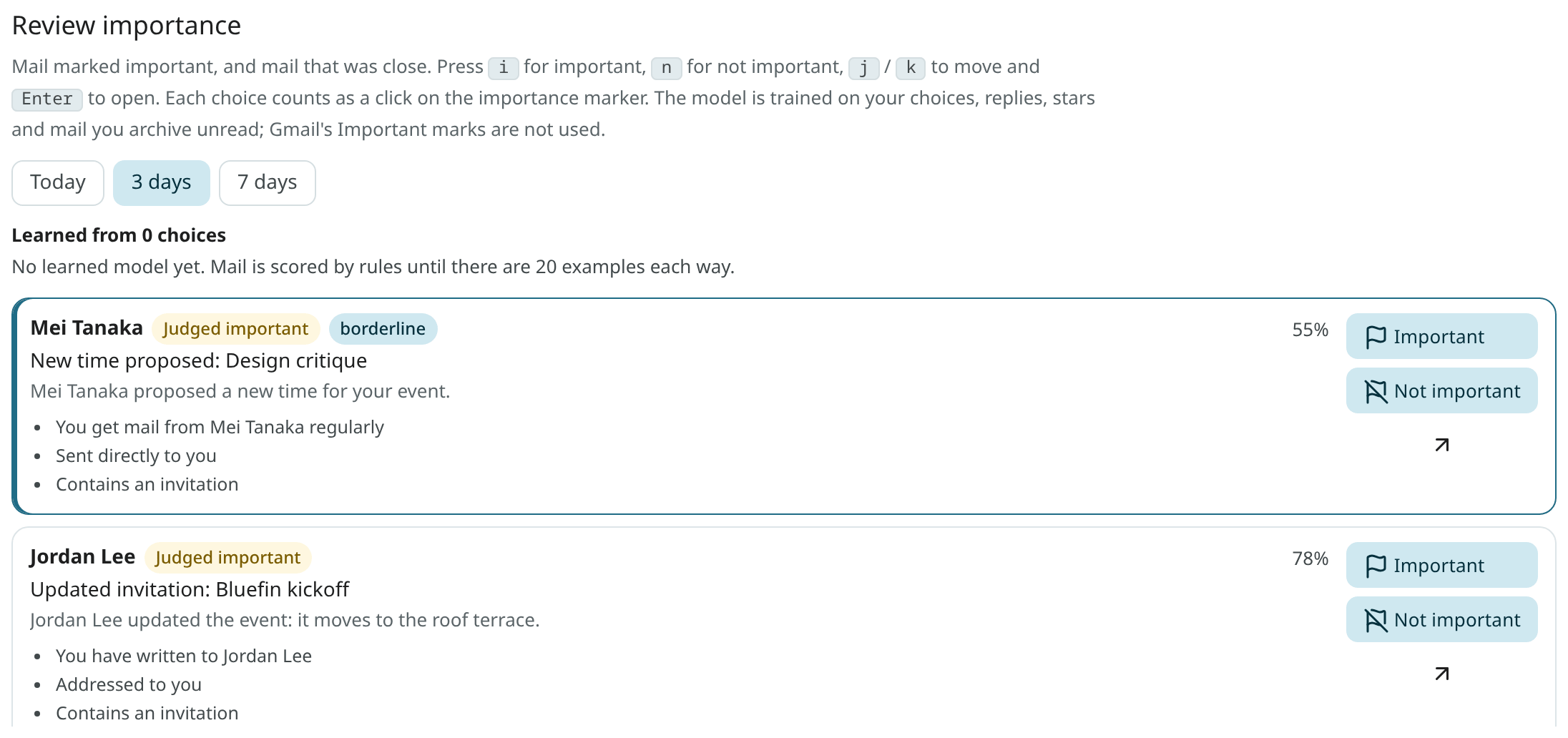
Settings → Ambrose → Review importance (or "Review importance" in the command palette) lists the mail judged important, and the mail judged not important by a narrow margin, for Today, 3 days or 7 days. Go through it with one key per row:
| Key | Choice |
|---|---|
i |
Important |
n |
Not important |
j / k |
Next or previous row |
Enter |
Open the email |
Each choice counts like a click on the marker, and the row is removed. The model is retrained within a few minutes.
VIP senders
Mail from a VIP sender is always important, and a notification is sent at once. Add someone with Make … a
VIP sender in a message's menu, or under VIP senders in Settings → Mail → Inbox (vip). Search
for their mail with is:vip.
Language model help
When the administrator has set up a language model, it is consulted on cases that are unclear
under the rules: an unclear category, a borderline importance, a deadline in the text. Bulk mail is
never sent to it, and mail from a local-only account is sent only to a local model. Use the
llm_triage setting to turn this help off for your account; only the rules and your trained models
are then used.
Signals: Reply needed, Waiting and Due
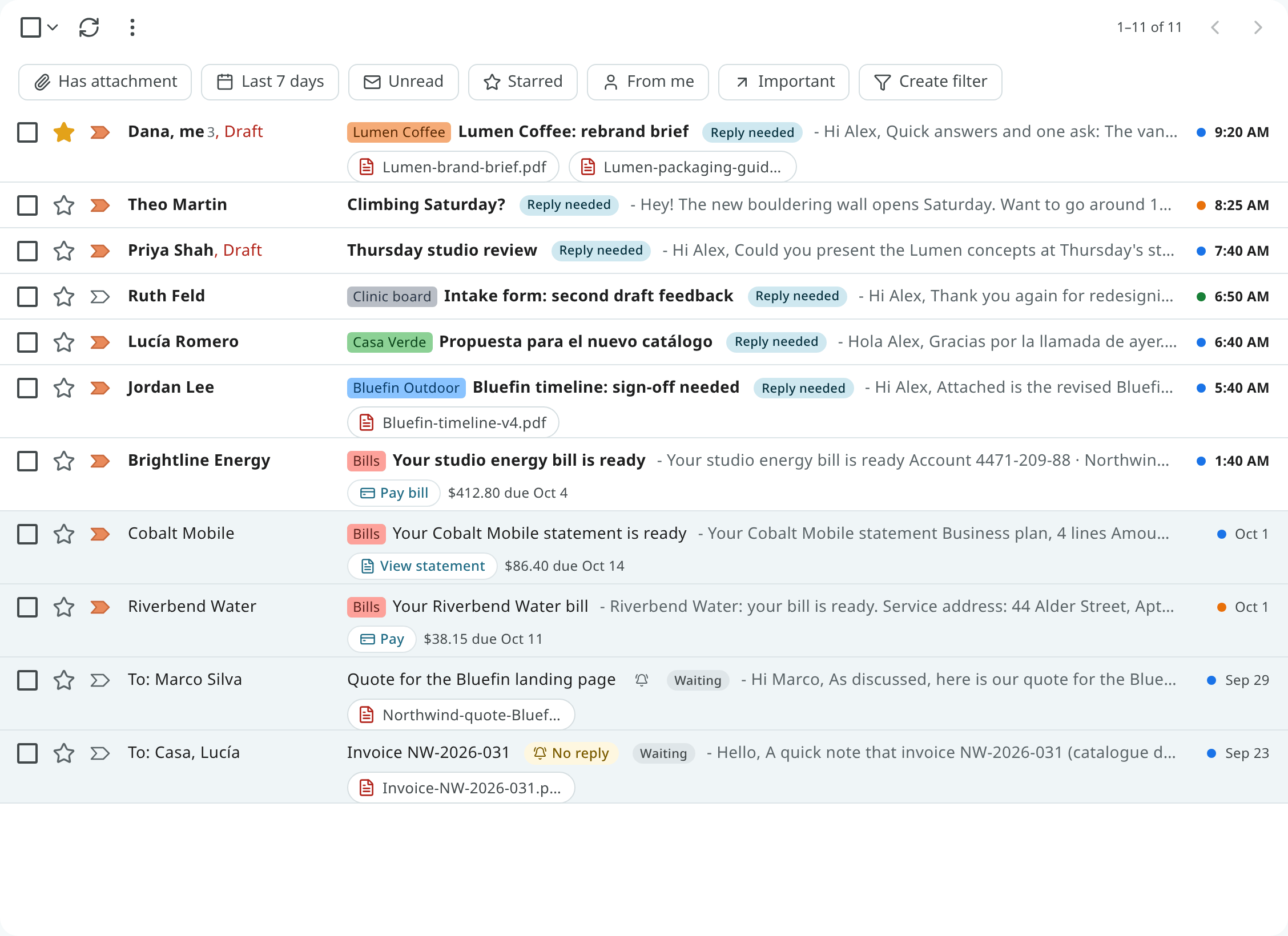
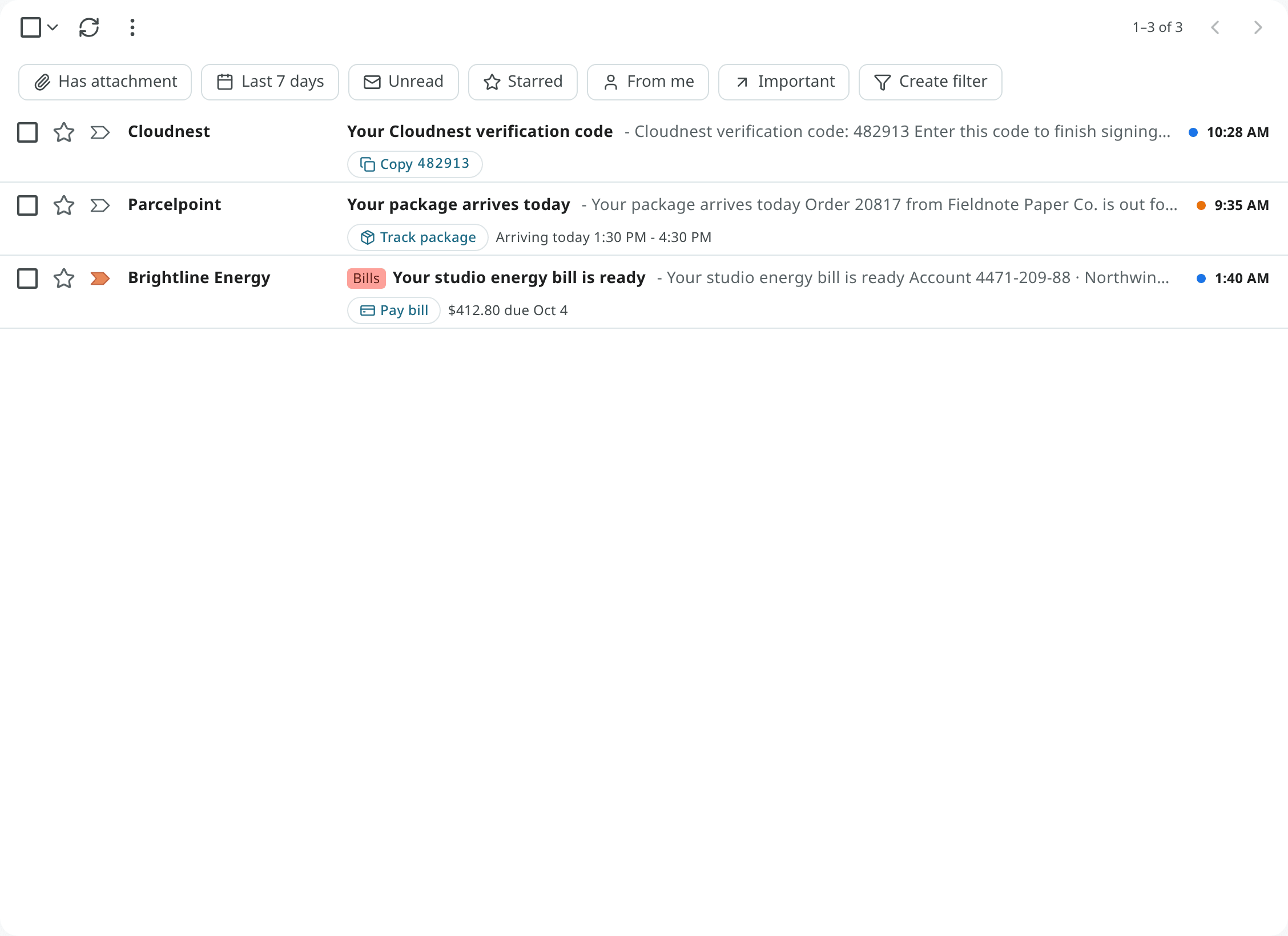
Chips on the row and under the subject in the reader mark these states:
| Chip | Meaning | Search |
|---|---|---|
| Reply needed | Someone asked you something and waits for your answer. | is:needs_reply |
| Waiting | You asked, and you wait for someone else. | is:waiting |
| Due Oct 4 | The mail holds a deadline for you: a bill, a form to return, a reply someone asked for by a date. It is shown in red when it is within two days or past. | has:deadline |
Only the user's own obligations count as deadlines. Sales that end, offers "valid through", newsletters' event dates and points that expire do not count.
Mail in Spam or Trash has no chips, and it is not counted in the tab's Due indicator. Move it back to the Inbox and its chips return.
Not a deadline
When a deadline is wrong, click the Due chip (or right-click it, or long-press it on a phone):
- use Not a deadline to remove this conversation's deadline;
- use Not a deadline from this sender to also stop deadlines from that sender from now on.
The chip is removed at once, the conversation is no longer counted in the tab's Due indicator, and
it no longer turns up for has:deadline.
One-tap actions
Delivery notices, bills, statements, sign-in codes and travel mail often have one main action. It is shown as a chip on the row and at the top of the reader, often with the key fact:
| Chip | Example |
|---|---|
| Track package | "Arriving today 1:30–4:30 PM" |
| Pay bill, View statement | The amount and the due date |
| Copy code | A sign-in or verification code, copied with one click |
| Check in, View order, Join meeting |
Click the chip to open the sender's link in a new tab, with the same safety as any link in mail. The link is never visited by Mailr itself. Spam and suspicious mail get no chip.
Spam
New mail passes several checks before it reaches the Inbox: the provider's spam verdict, blocked senders and filters, a check for senders who pretend to be a well-known brand, senders reported as spam, and a spam classifier trained on the user's reports.
Use Report spam (!) to move a conversation to Spam and teach the classifier. In Spam, use
Not spam to move it back to the Inbox and teach the classifier the other way. Its labels are
restored with it. While the mail is in Spam, it is shown under no label, here or in other mail
apps connected to your mail. "Not spam" always
takes precedence over the automatic checks.
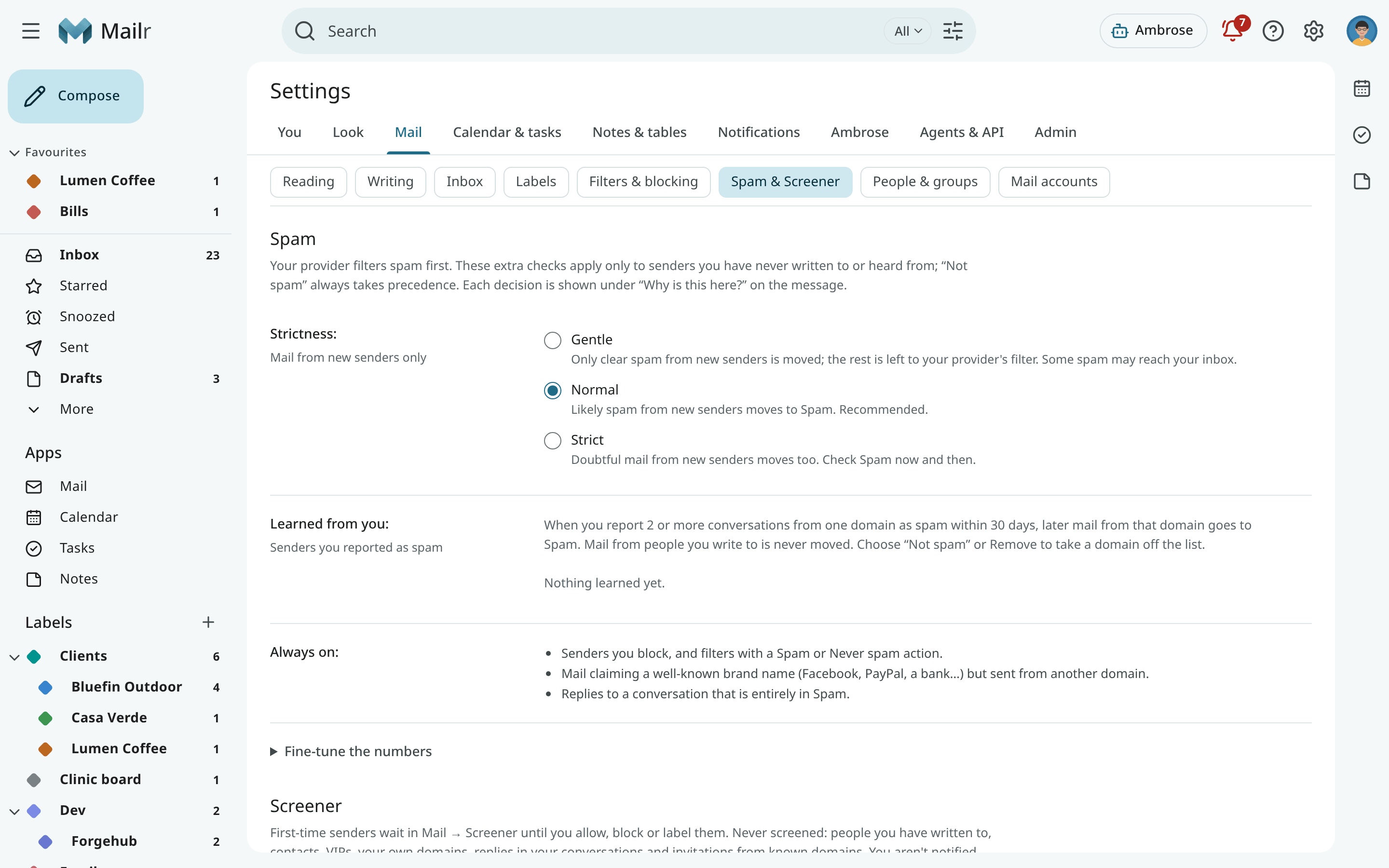
Adjust the checks in Settings → Mail → Spam & Screener. Strictness is one choice:
- Gentle: only clear spam from new senders is moved. The rest is left to your provider's verdict.
- Normal (the default): likely spam from new senders is moved to Spam.
- Strict: doubtful mail from new senders is moved too. Check Spam now and then.
The numbers behind each level are under Fine-tune the numbers:
| Setting | Description |
|---|---|
Spam classifier (spam_classifier) |
Off, Score only, or Score and move (the default). |
Classifier score threshold (spam_junk_score) |
The score at which mail goes to Spam (default 15). |
Provider score (spam_upstream_unknown_threshold) |
The provider's spam score at which mail from new senders goes to Spam (default 4; 0 for off). |
Likely spam (spam_suspect_score) |
Mail from new senders with a spam score at or above this (default 5; 0 for off) gets rules only: it is not read by any language model or decision model. |
The classifier and the provider score apply to new senders only: mail from people you write to is never moved by a score.
Two kinds of mail are not moved by the classifier score: mail that Gmail delivered outside its Spam folder (Gmail's own filter already judged it), and mail whose sender passes DMARC for the domain in the From address. The score is still recorded and shown in the Why this is here panel, and a high score still keeps the message away from language models.
Mail in Spam and mail from blocked senders is never sent to a model either. The Why this is here panel then shows "Not checked by a model: likely spam". After Not spam, the message is classified again by the user's models.
Senders you reported
When you report mail from two or more conversations from the same domain as spam within 30 days, later mail from that domain goes straight to Spam. At large mail providers such as gmail.com the rule applies to the one address only. Mail from people you write to is never moved this way.
These domains and addresses are listed under Settings → Mail → Spam & Screener → Learned from you; use
Remove to take one off (GET /api/v1/spam/domains, DELETE /api/v1/spam/domains/{key}). You can
also take one off by marking mail from a listed domain Not spam.