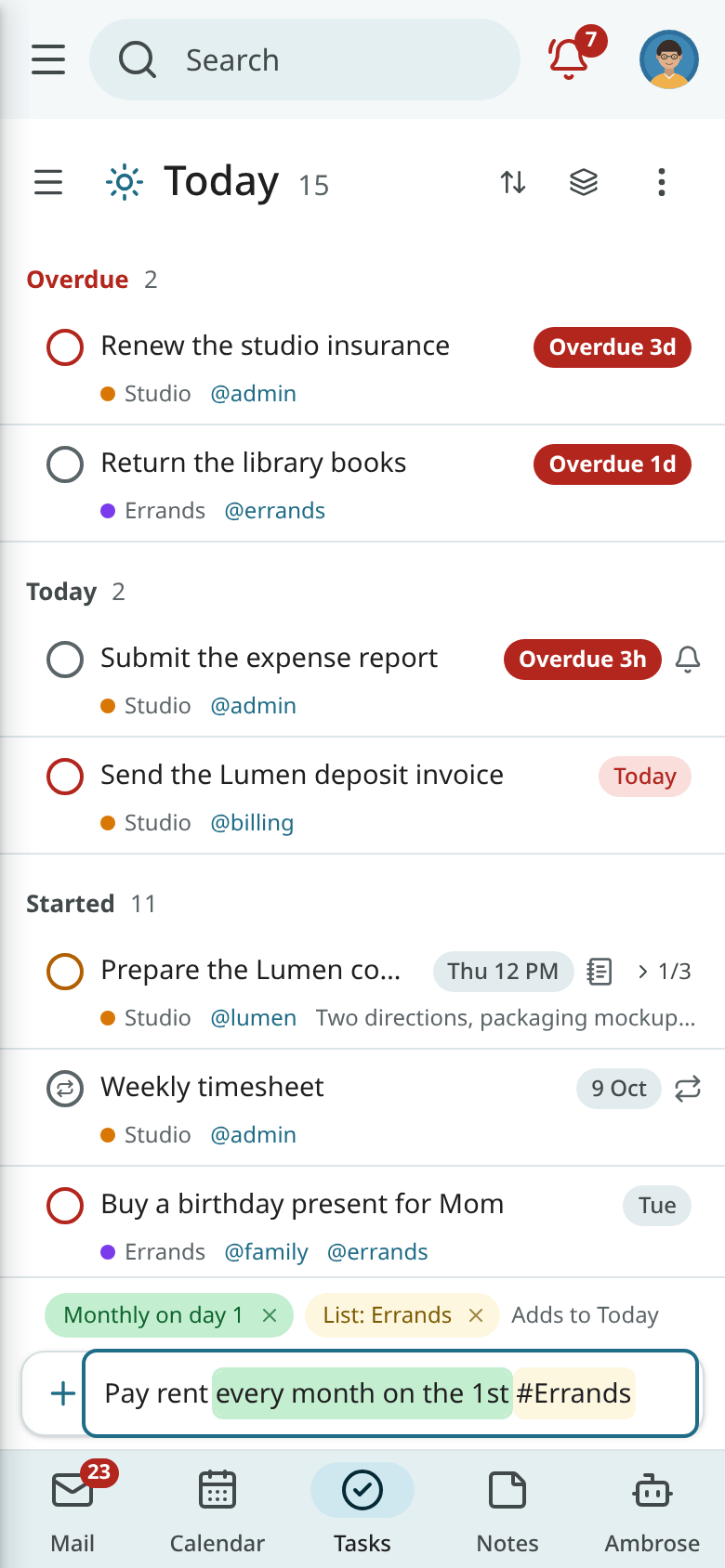
Quick add
With quick add, one line of plain English becomes an event or a task. It is available in the calendar's quick create, the quick-add bar of the Tasks app, the Calendar and Tasks panels beside the page, the command palette ("New event: …", "New task: …") and the Android app. The line is read in the same way in the web app and on the phone.
Reading rules
- A word is taken only when it matches a rule exactly. Everything else stays in the title.
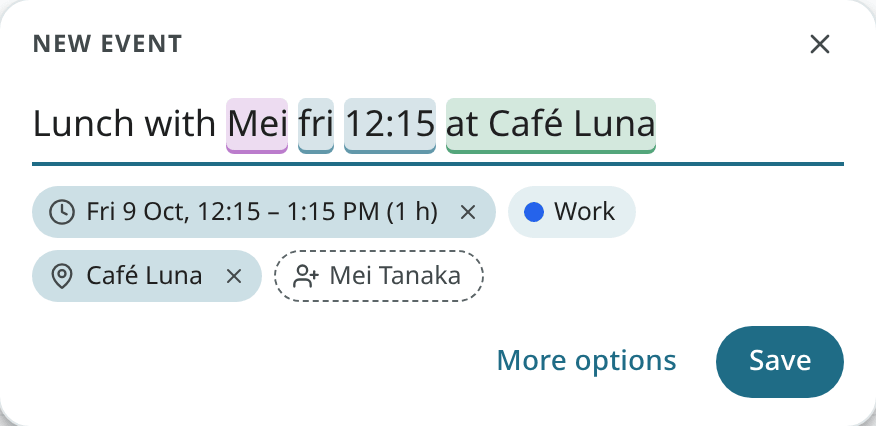
- Each word taken is highlighted and shown as a chip under the line, so the result is visible before saving.
- Click a highlighted word, or × on its chip, to keep it as plain text. Or press Backspace right after a word.
- Put text in quotes to keep it as it is:
"Friday review" notes due mon. - No model is involved. The same line always has the same result.
Events
| Line | Result |
|---|---|
Lunch with Mei fri 12:15 at Café Luna |
Friday 12:15 to 13:15 at Café Luna, with Mei suggested as a guest. |
Design critique tue 3-4pm #Work +meet |
Tuesday 15:00 to 16:00 in the Work calendar, with a video link. |
Standup weekdays 9:15 for 15 min |
A repeating event every weekday at 9:15, 15 minutes long. |
Offsite 14–16 oct |
An all-day event over three days. |
Dentist oct 12 2:30pm remind me 1 hour before |
October 12 at 14:30, with a reminder an hour before. |
Book club every first mon at 7pm |
A monthly event on the first Monday. |
- A date alone means an all-day event. A time alone means today, or tomorrow when the time has passed.
- Without a length, the event has your default length (
calendar_default_duration). - With
with Dana, Dana is suggested as a guest. Nobody is invited until you click the guest's chip to confirm it. - With
#Work, the calendar is picked by name. The start of a name is enough. - Use
ator@followed by a capitalised name, such asat Café Luna, to set the place.
Tasks
| Line | Result |
|---|---|
Call Dana fri 3pm !! @phone |
Due Friday at 15:00, Medium priority, tagged phone. |
Pay rent every month on the 1st #Errands |
Due on the 1st of each month, in the Errands list. |
Water the plants every! 3 days |
Repeats three days after each time you complete it. |
Renew the studio insurance by fri |
Due Friday, no time. |
Prepare the Q4 deck start mon due thu |
Starts Monday, due Thursday. |
Buy milk tom |
Due tomorrow. |
!!!orp1is High,!!orp2is Medium,!orp3is Low.- Use
@phoneto add a tag. Several tags are allowed. - Use
#Groceriesto pick a list. When no list has that name, a new list by that name is offered. - With
every!, the next date is counted from when you complete the task.
Words that stay in the title
Ordinary words are left alone. These lines stay as titles:
- "Weekly review" (a repeat word only counts at the end of the line);
- "Read Sunday papers" (a bare weekday only counts at the end);
- "Meet May" (a month is read only with a day number);
- "Shopping for gifts" (
foris read only with a length after it); - "Call Tom" (only lower-case
tommeans tomorrow).
Full grammar
Quick-add grammar lists every date, time, range, length, repeat, reminder, place, guest, priority, tag and list form, with examples.