Image proxy and VPN egress
From remote images in mail, a sender can learn who opened a message, when, and from which address. Remote images are fetched on the server and served from Mailr's own address, so senders never see a reader's address or the moment a message was opened.
Proxy behaviour
- A message's images are fetched when it arrives and kept in a private cache under the data directory.
- The cache stores each image once, but it is fetched once for each person whose mail shows it. So nobody can tell from how quickly an image loads that the same image was in someone else's mail.
- Images are fetched only from public addresses over HTTPS, never from private network addresses, whatever the value of
MAILR_ALLOW_PRIVATE_HOSTS. Redirects are checked one by one. - Known tracker images and 1×1 pixels are never requested.
- Only PNG, JPEG, GIF, WebP and AVIF images are kept, decided by their content, with size limits per image and per message.
- Fetches are sent with no cookies, no referrer and a generic user agent.
- Mail in Spam is never fetched ahead of time. Loading its images takes a click and a confirmation.
Turn the proxy off or on for the whole server under Settings → Admin → Data & privacy → Image proxy → Load images through Mailr.
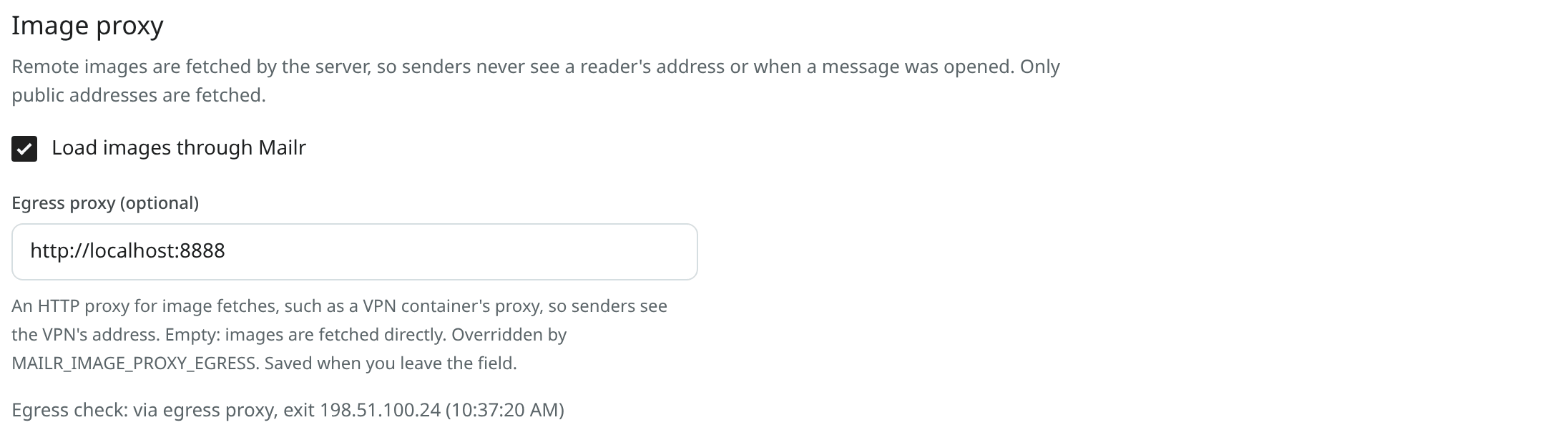
Image display per user
Image display is set per user under Settings → Mail → Reading (the images setting):
| Choice | Effect |
|---|---|
| Always display images (default) | Images appear at once, from Mailr's cache. |
| Ask before displaying images | Images load only after a click, still through Mailr. |
| Never display images | Remote images stay hidden. |
Send image fetches through a VPN
Image fetches come from the server's address. To hide that address too, send them through an HTTP proxy with its exit through a VPN. The other requests made because of a sender also go through the same proxy: one-click unsubscribe and sender logos (BIMI, Gravatar).
The stack includes an optional gluetun container as such a proxy. In .env:
COMPOSE_PROFILES=vpn
MAILR_VPN_PROVIDER=protonvpn
MAILR_VPN_WIREGUARD_KEY=<the PrivateKey of a WireGuard configuration from your VPN provider>
MAILR_VPN_COUNTRIES=Netherlands
MAILR_EGRESS_PASSWORD=<a random password, letters and digits>
MAILR_IMAGE_PROXY_EGRESS=http://mailr:<the same password>@egress:8888
Then run docker compose up -d. The egress container is on a network of its own with only the app, the worker and the optional browser for page readers. It is protected by the password, and nothing is published from it. The database, the mail store and the resolver are not on that network, so a link whose name resolves to one of their addresses goes nowhere. Any provider supported by gluetun can be set in MAILR_VPN_PROVIDER.
To use a proxy you already run elsewhere, set MAILR_IMAGE_PROXY_EGRESS to its address, such as http://user:password@vpn.local:8888, and keep that port closed to everything but Mailr.
The proxy can also be entered under Settings → Admin → Data & privacy → Image proxy → Egress proxy (optional). The value in .env has priority over the one in the app.
No silent fallback
When an egress proxy is set and unreachable, image fetches fail. A direct connection is never used as a fallback.
With the egress proxy, the sender's host names are looked up at the proxy, not on the Mailr server. A sender can give every recipient a unique host name, so the sender could learn where and when the mail was opened from a lookup through the server's own DNS resolver. The sender's BIMI record is fetched through the proxy as well, as DNS over HTTPS. Requests through the proxy are HTTPS only, on the standard port 443, and never to a numeric address such as 127.1 or 2130706433. No route into the local network is required for the proxy: in the bundled VPN container, every outbound connection outside the VPN is blocked.
Require the VPN (fail closed)
With only an egress proxy set, images are fetched directly again on a server where someone later clears MAILR_IMAGE_PROXY_EGRESS. To rule out direct fetches, set:
While the setting is on:
- no fetch caused by a sender (remote images, sender logos and pictures, one-click unsubscribe) is made without a working egress proxy, and nothing goes out directly from the server;
- fetches are paused while the VPN is down or leaking according to the egress check, and resumed once it passes again;
- the image proxy stays on: Load images through Mailr cannot be turned off, since images would otherwise be loaded in the browser from the senders' servers;
- readers see "Images are not displayed" with the reason instead of broken images; the images load once the egress works again;
- Ambrose's page reads go through the egress proxy too, or are paused. The one exception is a browser page reader an admin set to Directly from this network (Web search): that admin choice, for that reader only, is allowed, marked direct in the list and recorded in the audit log.
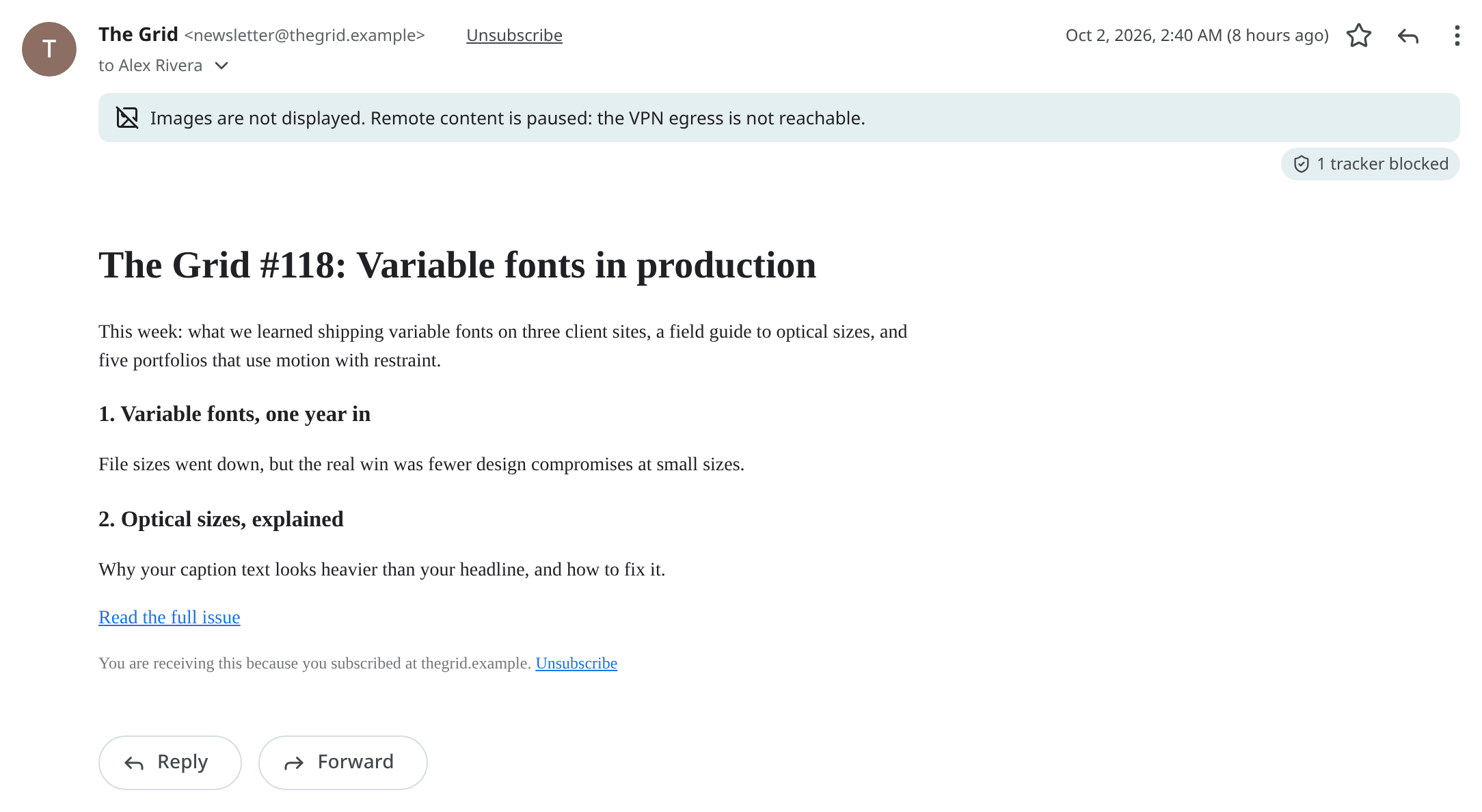
The setting is off by default, so images still load on a server without a VPN. Turn it on together with a VPN egress.
The egress check
While an egress proxy is set, it is checked every 5 minutes (every minute while it fails). Through the proxy, a public address-echo service (api.ipify.org, with two fallbacks) is asked which address the request came from. The check fails when the proxy does not answer, or when that address is the server's own public address; the proxy is then not on the VPN.
The server's own address is learned with one direct request to the same service, and asked again every 6 hours. To skip that request, list the address yourself:
The result is shown in three places:
| Where | Details shown |
|---|---|
| Settings → Admin → Data & privacy → Image proxy | "Egress check: via egress proxy, exit 198.51.100.24" and the time of the check, or what failed. Admins only. |
GET /api/v1/health/ready |
The egress check, never required: failed images never count against mail health. No addresses. |
GET /api/v1/health/egress |
200 with "state":"ok" while the check passes, 503 with "state":"failing" otherwise. No sign-in and no addresses; the kind of failure is shown only with the monitor token. |

state is one of ok, down (the proxy does not answer), leak (the exit address is the server's own), stale (no check in the last 15 minutes, for example because the worker stopped), unchecked, unconfigured (the egress is required but not set) or off (no egress set and none required; answers 200). See Monitoring for an Uptime Kuma monitor.