Welcome to Speakr
Speakr is a powerful self-hosted transcription platform that helps you capture, transcribe, and understand your audio content. Whether you're recording meetings, interviews, lectures, or personal notes, Speakr transforms spoken words into valuable, searchable knowledge.
Latest Release: v0.10.16-alpha: Tencent Cloud ASR, interface language, API limits
A Tencent Cloud ASR connector, dates, times and file sizes in the interface language, account-wide API limits and faster recording lists.
See the full release notes for details.
Quick Navigation
Core Features
Speakr takes a recording from raw audio to organized, searchable, shareable knowledge. The pipeline:
Capture
- Mic, system/tab audio, or both mixed
- Hours-long server-side recording sessions
- Drag-and-drop upload and black-hole auto-import
Transcribe
- Bring your own engine: WhisperX, OpenAI, Mistral, custom ASR
- Speaker diarization and voice profiles (WhisperX backend)
- Auto-detect plus the full Whisper language list
- Custom vocabulary and hotwords (most effective with WhisperX)
Understand
- Customizable AI summaries
- Event extraction and per-recording chat
- Inquire Mode: semantic search across everything
Organize
- Smart tags with custom prompts, stackable
- Folders and bulk operations
- Retention policies and auto-deletion
Collaborate
- Granular internal sharing and public links
- Groups with auto-share group tags
- Multi-user with Single Sign-On (OIDC)
Automate
- REST API v1 with Swagger UI
- Signed webhooks on lifecycle events
- n8n, Zapier, Make integration
Interactive Audio Synchronization
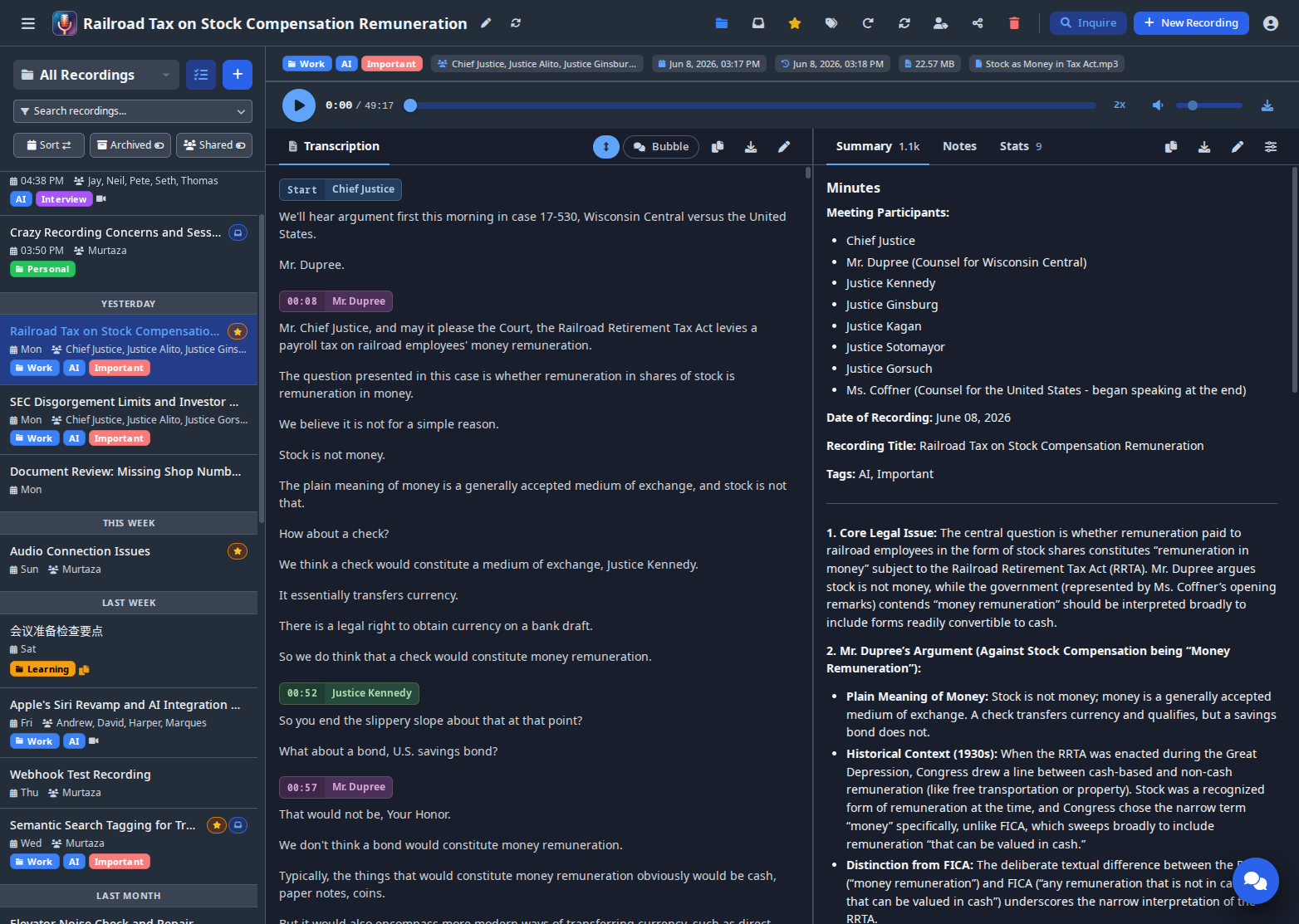
Experience seamless bidirectional synchronization between your audio and transcript. Click any part of the transcript to jump directly to that moment in the audio, or watch as the system automatically highlights the currently spoken text as the audio plays. Enable auto-scroll follow mode to keep the active segment centered in view, creating an effortless reading experience for even the longest recordings.
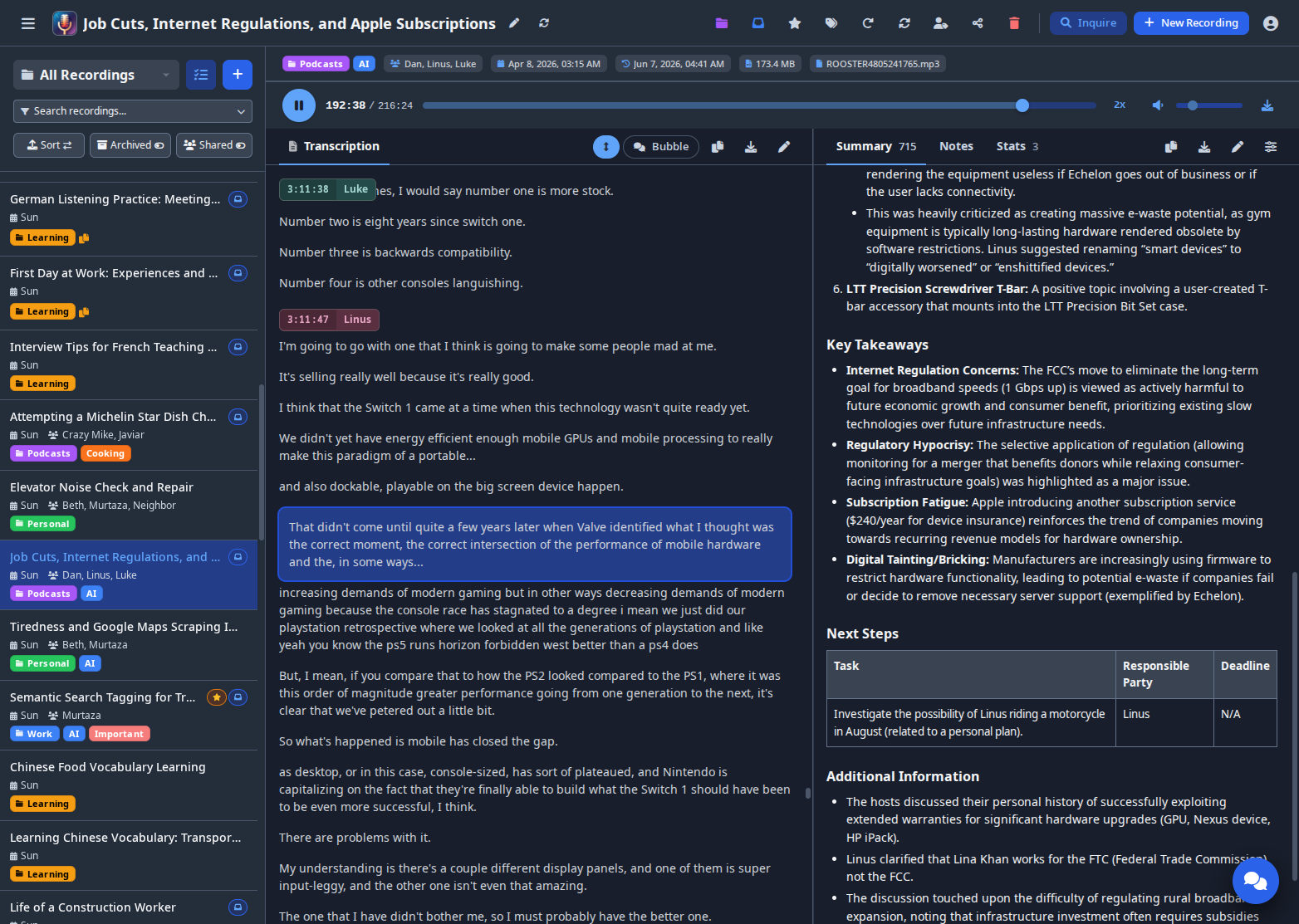
Real-time transcript highlighting synchronized with audio playback, with auto-scroll follow mode
Learn more about audio synchronization features in the user guide.
Transform Your Recordings with Custom Tag Prompts
Tags aren't just for organization - they transform content. Create a "Recipe" tag to convert cooking narration into formatted recipes. Use "Study Notes" tags to turn lecture recordings into organized outlines. Stack tags like "Client Meeting" + "Legal Review" for combined analysis. Learn more in the Custom Prompts guide.
Latest Updates
Version 0.10.16-alpha - Tencent Cloud ASR, interface language, API limits
One column and seven indexes are added at startup; no configuration changes are required.
- Transcription - A Tencent Cloud ASR connector with speaker diarization (#427), and request parameters for the text and chat models.
- Language - Dates, times, numbers, percentages and file sizes follow the interface language (#477, #480, #481).
- API - Account-wide limits and a cap on active tokens (discussion #484), and a CSRF check on the token API (#478).
- Fixes - Faster recording lists (discussion #483), clear errors for unreadable uploads (#482), and #475, #476, #479, #485.
Version 0.10.15-alpha - Security fixes, find and replace, notes in summaries
Two columns and one index are added at startup. Set APP_BASE_URL if Speakr sends email, and TRUSTED_PROXY_HOPS=0 if no reverse proxy is in front of it.
- Security - Email links, the remember-me cookie, recording files, summary display, the share target, Markdown rendering and gunicorn (#434 to #439, #442).
- Transcripts - Find and replace in the transcript editors, and notes given to the summarizer as context (#440).
- Inquire and API - A folder filter in Inquire (#428), and an operationId on every API operation (#443).
- Fixes - Long file names (#430), recordings deleted during transcription (#432), and dependencies pinned and verified.
Version 0.10.14-alpha - Theme with the account, transcript editor and processing fixes
Two new columns are added at startup; no configuration changes are required.
- Theme - The light or dark mode and the color scheme are saved with the account (#419).
- Transcript editor - Every speaker can be chosen for a segment again (#425).
- Processing - Recordings stuck in QUEUED or SUMMARIZING can be reset, and a transcript is no longer lost when reprocessing cannot be queued (#420, #423, #424).
- Errors - The exception line of a failed WhisperX request is kept (#422), and "Authentication Error" is no longer shown for an ID that contains "401".
Earlier releases
Release notes for v0.10.13 and earlier are on the GitHub Releases page.
Getting Help
Need assistance? We're here to help:
Documentation
You're already here! Browse our comprehensive guides:
Ready to transform your audio into actionable insights? Get started now →